
Operations manual
General
The SUM shall contain the operational organisation, a reference schedule for each operational profile, the list of all the elementary operations to be carried out at the site, what to do in order to operate the site, the personnel responsible to do it and when.
Set‐up and initialisation
To install a Python package, you can use pip, a Python package manager that allows you to download and install packages from PyPI (Python Package Index). First, make sure that pip is installed on your machine by running in your terminal.
$ pip --version
If pip is not installed, you can install it using the command on Python versions 3.4 and above.
$ python -m ensurepip --default-pip
Once pip is installed, you can install a package by running the command
$ pip install git+https://github.com/pdssp/pds_crawler.git
Getting started
for PDS crawler capabilities, run the command to display the help:
$ pds_crawler -h

usage: pds_crawler [-h] [-v] [--level {INFO,DEBUG,WARNING,ERROR,CRITICAL,TRACE}] [-d DATABASE] {extract,check_extract,transform} ...

Crawl and extract PDS planetary data from various sources, including a web service and a website, transform the data into the
SpatioTemporal Asset Catalog (STAC) format.

positional arguments:
{extract,check_extract,transform}

options:
-h, --help            show this help message and exit
-v, --version         show program's version number and exit
--level {INFO,DEBUG,WARNING,ERROR,CRITICAL,TRACE}
                        set Level log (default: INFO)
-d DATABASE, --database DATABASE
                        Path of the database (default: work/database)
Get PDS collections to retrieve
To get all georeferenced PDS collections:
$ pds_crawler extract --type_extract ode_collections
or to get all georeferenced collections from a planet
$ pds_crawler extract --type_extract ode_collections --planet Mars
Retrieve PDS records from collections
$ pds_crawler extract --type_extract ode_records
Retrieve PDS3 objects from collections
$ pds_crawler extract --type_extract pds_objects
Transform PDS3 object
$ pds_crawler transform --type_stac catalog
Transform PDS records
$ pds_crawler transform --type_stac records
Mode selection and control
The SUM shall give an overview of the access and security features of the software that are visible to the user, and in particular:
How and from whom to obtain a password
How to add, delete, or change passwords under user control
Security and privacy considerations pertaining to the storage and marking of output reports and other media that the user can generate
Normal operations
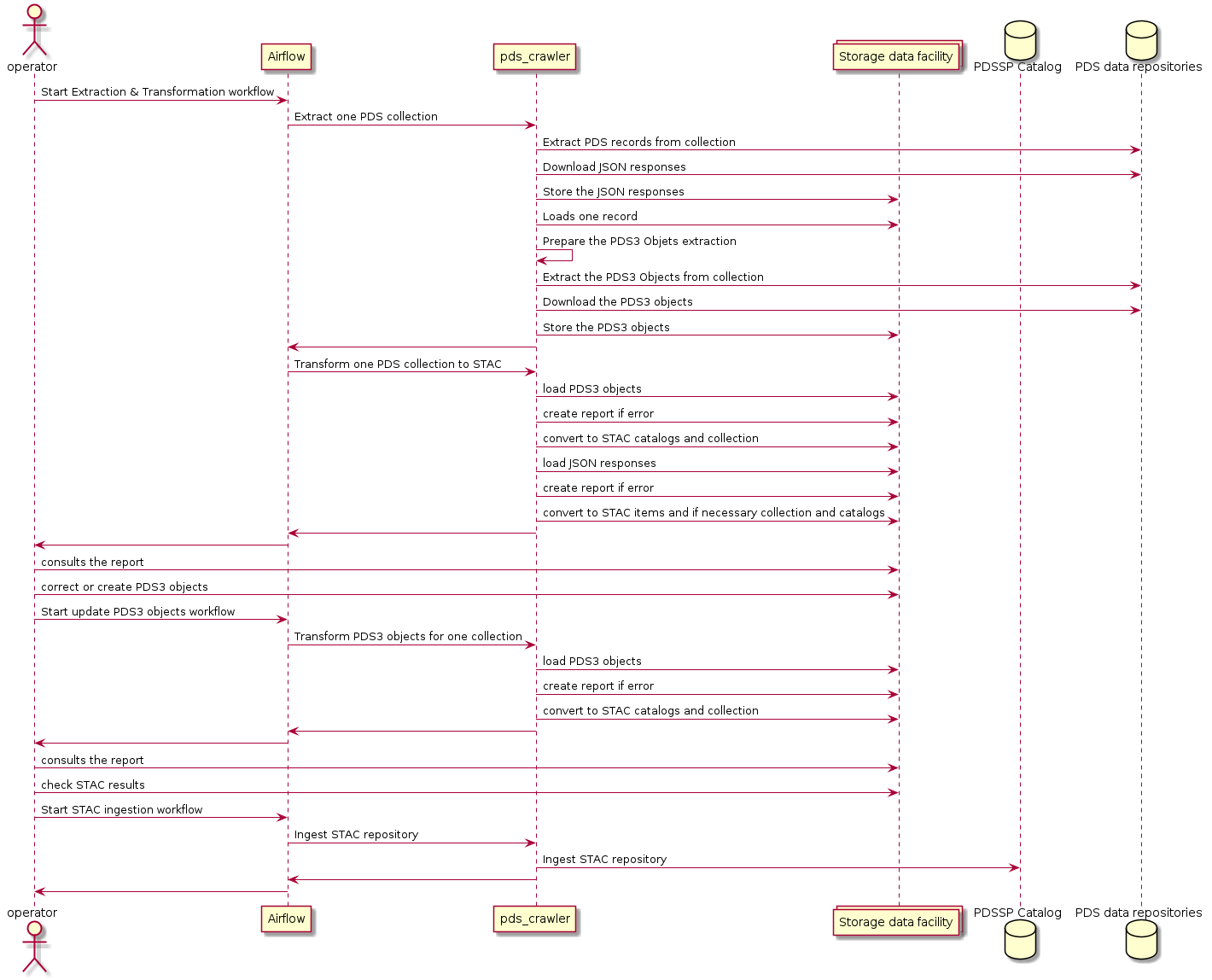
Normal termination
The SUM shall describe how the user can cease or interrupt use of the software and how to determine whether normal termination or cessation has occurred.
Error conditions
The SUM shall describe the common error conditions that can occur as a result of executing the function, and how to detect that the error has occurred.
Recover runs
The SUM shall include the detailed procedures for restart or recovery from errors or malfunctions occurring during processing and for ensuring continuity of operations in the event of emergencies.